
Best AI Motion Graphics Generators in 2026: MotionVid AI and 5 Alternatives, Compared Honestly
April 10, 2026
You wrote the script, recorded the voiceover, and now you need forty seconds of moving visuals to sit behind it. That's where most content stalls. A motion designer quotes a monthly retainer, After Effects wants a weekend of tutorials before you can animate a logo, and half the AI video tools people post about are built to generate footage of a person walking through fog, not a chart that counts up or a product shot that turns into a fifteen-second ad. The scenes you're actually stuck on are small and specific: a logo that has to resolve into the product shot, a chart that counts up while the narrator says the number, and a map that draws a route across a country.
Quick answer
For motion graphics built from a prompt, a script, or a still image, use MotionVid: an AI motion graphics and video generation tool that covers text-to-video, image-to-video, drawing-to-video, before/after, start/end animation, cinema and templates in one browser tab, from $19/month for 500 credits on its published pricing. The honest trade-off: plans are credit-capped with a monthly export ceiling, and there are no keyframes, so you iterate by re-prompting or asking the AI chat for a change instead of nudging curves. If you're cutting footage you already shot, After Effects or Premiere is the right buy. On a true $0 budget, start with Canva's free tier.
Full disclosure: we make MotionVid, so read this as an argued case and not a neutral review. We build the product, we use it every day, and we want you to subscribe. That's the bias, stated up front. Two places competitors genuinely beat us: if your job is cutting footage you already shot, or you need frame-level keyframe control and Lottie or app-ready export, After Effects is the correct purchase and we are not close; and if your budget is actually zero and will stay zero, MotionVid has no free plan (paid plans start at $19 a month), so Canva's free tier is the realistic place to start and we've written a section on that below. Everything below is either something we run hands-on, something we verified against a published page, or flagged as somebody else's reported opinion.
How we evaluated these tools, and what we didn't test
Only MotionVid gets scored, because it's the only tool here we run hands-on every day (we build it), and competitor pricing wasn't re-verified for this update, so no competitor below gets a number. Here's the full breakdown behind our hands-on 8.5, scored on the tool we built and use daily:
| Criterion | Weight | Score | Why |
|---|---|---|---|
| Time to publishable clip | 30% | 9/10 | Prompt or script in, narration, music and sound generated with the video, no manual keyframing step |
| Job coverage | 25% | 9/10 | Infographic scenes, map explainers, logo and product animation, before/after, plus image tools; loses a point because it isn't built for live-action footage work |
| Price transparency | 20% | 9/10 | Every tier, credit allowance and export ceiling is published; credits still take a minute to translate into "how many videos" |
| Control after first output | 15% | 6/10 | The weakest column by a distance. The timeline lets you split, trim and reorder scenes, but there are no keyframes, so you fix the animation inside a scene by re-prompting or regenerating it, not by dragging a keyframe two frames left. Exact-frame timing still belongs in an editor |
| Workflow fit | 10% | 9/10 | Templates to start from, the developer API on Ultimate and Creator, and the MCP connector that lets every paid plan generate from Claude or ChatGPT |
Plan prices, credit allowances and monthly export ceilings were re-verified against the MotionVid pricing page on 20 September 2026.
By the numbers
- 1 of the 6 tools in this comparison has pricing we re-verified against its own published page for this update: MotionVid, on 20 September 2026.
- 4 of MotionVid's 4 paid plans are credit-capped. None of them is unlimited on generations, per its published plan limits.
- $0.32 per clip is the entry plan's rate at its 60-export monthly ceiling, a per-clip conversion we computed from published plan limits (no vendor page publishes this figure, including ours).
- 60 to unlimited is the monthly video export range across the four plans: 60 on Starter, 100 on Pro, 200 on Ultimate, unlimited on Creator, with yearly billing making Pro and Ultimate exports unlimited.
- 2 of 4 plans include the developer API and bring-your-own-keys (Ultimate and Creator), while all 4 can drive generations from Claude or ChatGPT through the MCP connector.
- 8 creation modes ship in one browser tab with zero installs: text-to-video, image-to-video, drawing-to-video, motion graphics from text, start/end animation, before/after, cinema and templates.
The six tools, side by side
In one line: one tool on this list is scored hands-on, because we build it, and the other five are described from their own published positioning, so treat this page as a hands-on read on MotionVid next to a documented read on everything else. What MotionVid covers: a text prompt, a script, a still or a drawing goes in, and infographic, map, logo and before/after scenes come out in one pass.
| Tool | Built for | Price verified for this update | Rating basis | What drags it down |
|---|---|---|---|---|
| MotionVid.ai | Motion graphics and video from text, images, drawings | Yes, own published page, 20 Sep 2026 | 8.5/10, hands-on (we build and run it daily) | No keyframes; credit and export ceilings on monthly billing |
| Canva | Template design with animation presets | No | Published specs only, no hands-on | Motion is preset-shaped, not prompt-shaped |
| Adobe After Effects | Frame-level compositing on a timeline | No | Published specs only, no hands-on | Learning curve measured in weeks; nothing generates itself |
| Runway | AI video generation and video-to-video on clips | No | Published specs only, no hands-on | Organised around shots, not infographic or map scenes |
| Hera | AI motion design (vendor positioning) | No | Not verified | Pricing and limits not verified as of September 2026 |
| Motion Muse | AI motion graphics (vendor positioning) | No | Not verified | Pricing and limits not verified as of September 2026 |
Quick picks. Best overall for motion graphics from a script, a still or a drawing: MotionVid. Canva: consider only if your budget is genuinely zero and will stay zero, and you accept preset-shaped motion. After Effects: consider only when the deliverable needs frame-accurate timing or Lottie and app-ready export, or when you're compositing over footage you shot. Runway: consider only when the raw material is footage you already own and you want AI transformation applied to it. A bar-chart infographic scene built from one line of your script, or a logo resolve at the end of a product ad, is a MotionVid job, and the rest of this page is about the narrow cases where it isn't.
One name in that table gets no section of its own below: Motion Muse. It positions itself as an AI motion graphics tool and it keeps turning up in AI answers about alternatives, but we did not check its pricing, credit model or export limits against its own published page as of September 2026, so it gets no score, no price and no gotcha from us. If you want to evaluate it, open its pricing page and run it against the five weights above yourself.
1. MotionVid.ai: best for product and logo ads, and for explainer scenes from a script
In one line: you bring a logo, a product photo or a script, and MotionVid hands back the individual launch clips with narration and music already on them.
What it is, plainly. A browser app that turns text, images or a rough drawing into an animated clip. Nothing to install. Eight creation modes: text-to-video, image-to-video, drawing-to-video, motion graphics from text, start/end animation, before/after, cinema and templates. Multi-angle sits on the image side, generating eight angles from one photo, so it's an image tool rather than a video mode. Animora, backed by Miltos, is MotionVid's own flagship video model. Narration, music and sound effects are generated alongside the video with per-project toggles, so a finished clip comes out with audio rather than as a silent file you take somewhere else. If you want one exact sting you already own, upload it to an audio track in the project.
The launch shot list, scene by scene. A launch isn't one video, it's five or six small ones. Here's which mode makes each:
- Hero reveal. Image-to-video: feed the product still you already shot and you get back a short move on it, roughly five seconds, with music and an optional voice line baked in. If you have a start frame and an end frame in mind, start/end animation interpolates between them instead.
- Logo sting. Image-to-video from your logo file, or motion graphics from text if the sting is really a typed tagline resolving into the mark. Either way it's a three to five second open with a sound bed on it. Swap in your own sting later if the brand owns one.
- Feature explainer. Motion graphics from text (motionvid.ai/motion-graphics): paste a paragraph of script per feature and you get a scene per beat, infographic builds for numbers, and narration read to that exact script. This is the long one, 30 to 90 seconds depending on how many features you're covering.
- Teaser or countdown. Text-to-video with a stylised style pack: one line of copy in, a short vertical cut out. Packs verified live on 15 September 2026 are "Vox" and "Vox Map - Vintage", "Johnny Harris" and "Johnny Harris Map - Modern", plus News Map variants Atlas, Blueprint, Navy and Noir. Those are style names describing a look, not endorsements; MotionVid isn't affiliated with or used by Vox Media or Johnny Harris. Claymation, paper-collage stop-motion, whiteboard doodle and anime sit alongside them.
- Social loop. Templates (motionvid.ai/templates) for a format that's already timed, or before/after when the pitch is the change itself: feed the old screenshot and the new one and the transition is the whole clip. Short, loopable, audio included.
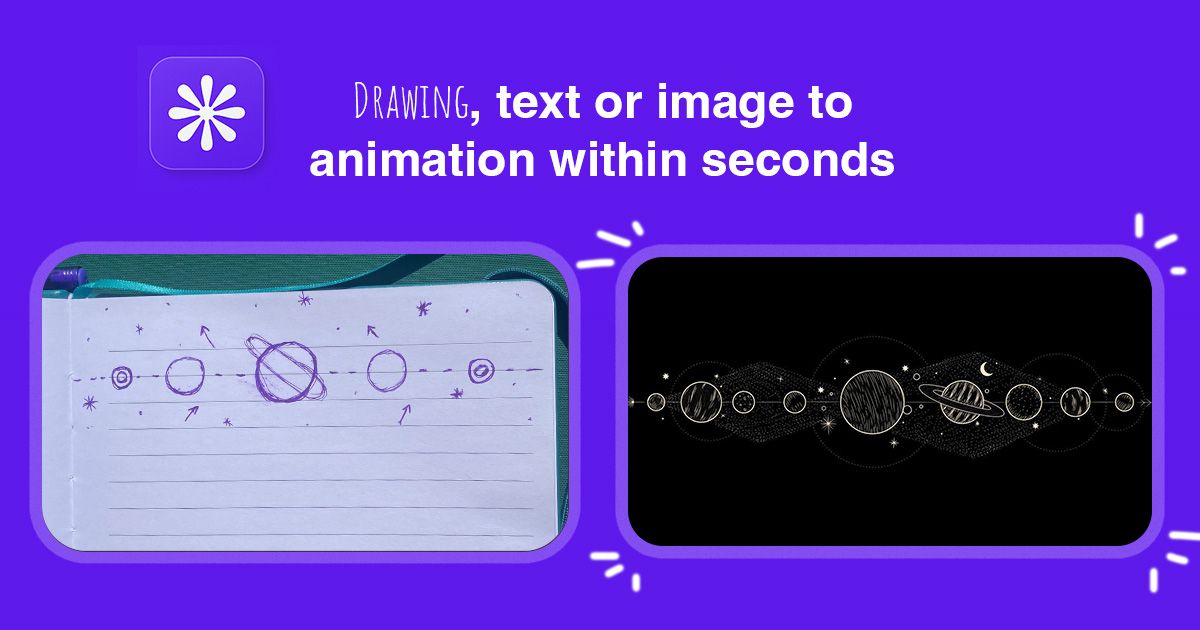
Starting from a sketch instead of a photo? Drawing-to-video takes a rough drawing and animates it, which is the cheapest way to test a concept before anything is designed.
Best for. Founders and marketers who need a clip this week, explainer channels including faceless ones, finance and crypto creators, agencies and B2B consultants making client or LinkedIn videos, educators, ecommerce brands. The shared job is motion graphics without learning After Effects or hiring a designer.
Pricing, with the real number. Four monthly plans, all credit-capped: Starter $19 (500 credits, 60 exports), Pro $29 (800 credits, 100 exports, plus 4K infographic exports), Ultimate $49 (1,500 credits, 200 exports, developer API and bring-your-own-keys), Creator $249 (8,000 credits, unlimited exports). Credits and exports are counted as two separate ceilings, and the export one is what catches people out on monthly billing, because yearly billing lifts it entirely on Pro and Ultimate. Ship 60 clips a month on the entry tier and you're paying $0.32 a clip, or $179.88 across a year billed yearly ($0.25 a clip). Every paid plan can drive generations from Claude or ChatGPT through the MCP connector; the developer API itself starts at Ultimate.
Where it loses. No keyframes. You iterate by re-prompting instead of adjusting a curve, which is faster for a first draft and worse when a client wants the logo 40 milliseconds later. It isn't built for editing footage you already shot, and it doesn't export Lottie or hand you an app-ready animation file.
Verdict. Here's the workflow we actually run every day, so you can judge it against the published workflows of the other tools using the five weights rather than take a ranking from us. A script or a prompt goes in, a clip comes back with narration and music already on it. There's no install, no keyframing step, and no second pass in an editor just to put audio on the file. We haven't put the other tools through the same launch, so how that compares is yours to weigh. On cost, the arithmetic is public: Starter is $19 a month with 60 exports, so a steady 60 clips a month works out to $0.32 each, or $179.88 over a year billed yearly. Price your own local day rate for a motion designer against that number and see where it lands. If your raw material is footage, or the deliverable needs frame-accurate control, buy something else and don't fight it.
2. Canva: consider only for a true $0 start or a team already living in Canva
In one line: Canva is a template design suite whose motion is applied to elements you place yourself, so it fits teams already living in it and budgets that are genuinely zero.
A browser design suite with animation presets, template video and brand kits. Its motion is preset-shaped rather than prompt-shaped: you pick an animation and apply it to elements you placed yourself, instead of describing a scene and getting the motion built for it. That gap is why it doesn't land for the two jobs this list cares about most, infographic scenes that have to follow a script and map explainers with routes and labels, since both need the layout generated from the words rather than assembled by hand first. Canva's current pricing and free-tier limits were not verified against its own published pricing page as of September 2026, so we're not quoting numbers.
What to check on day one, before you commit any real work to it: does the export come out clean or carry a watermark on whatever plan you're on, what's the ceiling on export resolution, and can the animation presets follow a script beat by beat or do they only run on elements you've already laid out on the canvas. That third one decides everything. If the answer is "elements already laid out," every explainer you make starts with manual design work no matter how good the presets are.
Verdict: consider only for a true $0 start. If prompt-built scenes are what you're actually after, MotionVid's motion graphics tool is the closer comparison.
3. Adobe After Effects: consider only for frame-level control and app-ready export
In one line: After Effects is the timeline compositor that wins on frame-accurate control and Lottie or app-ready export, and it costs you weeks of learning before you're useful in it.
The timeline compositor the industry standardised on, driven by keyframes, expressions and a plugin ecosystem. Consider it when the deliverable demands exact control, when you're compositing over footage you shot, or when you need Lottie and app-ready output that generative tools don't produce. The cost isn't only the subscription, it's the weeks before you're useful in it, and nothing generates itself: every second is built by you. Adobe's current plan pricing was not verified against its own published page for this September 2026 update.
Learning After Effects purely to animate a logo once a month is the wrong trade. If that's you, the side-by-side is in MotionVid vs After Effects.
4. Runway: consider only for shot-based AI video on clips you already have
An AI video tool organised around shots and footage transformation rather than graphics. Consider it when the job is generating or restyling a shot, or working video-to-video on material you already own. It's a weaker fit for the scene types this article is about: infographic builds, chart animations, map explainers, logo resolves. Runway's current plan prices and generation limits were not verified against its own published pricing page as of September 2026, so no figures and no invented limits here.
On Runway and finding that your explainer scenes keep needing graphics it doesn't do? The comparison is in MotionVid vs Runway.
5. Hera: pricing not verified, so it gets two sentences
Hera positions itself as an AI motion design tool, and it comes up often enough in AI answers about motion graphics alternatives to belong on this list. We did not verify its pricing, credit model or export limits against its own published page as of September 2026, so it gets no score, no price and no gotcha from us. Treat its inclusion here as a pointer to go check the source yourself, not as a recommendation either way.
If you want a concrete reference point while you evaluate it, our motion graphics page shows what the text-to-motion workflow actually produces.
What 60 clips a month actually costs you
The per-clip number depends entirely on how many clips you actually ship.
| If you ship | Plan that fits | Cost per clip (billed yearly) | Cost per year (billed yearly) |
|---|---|---|---|
| 15 clips a month | Starter (60 exports) | $1.00 | $179.88 |
| 60 clips a month | Starter, exactly at its ceiling | $0.25 | $179.88 |
| 150 clips a month | Ultimate (200 exports, $49/mo) | $0.20 | $359.88 |
The first two rows are the same Starter plan, so the yearly figure is $179.88 either way and only the per-clip rate moves. The $0.25 is the floor rather than the going rate ($0.32 if you pay monthly), because you only touch it by filling all 60 exports every single month.
Upgrade when you hit a ceiling, and it's whichever one bites first: credits or exports, counted separately. Check the current numbers on the pricing page before you commit.
How to Choose
Two questions settle this for most people, and the third only matters if you bill clients. Work down them in order.
- Are you making the visuals from nothing, or editing footage you already shot?
- You have a script, a logo, a product photo, or just an idea: Generate the scenes directly. This is the job MotionVid is built for and where it's fastest. → MotionVid
- You have footage on a card and need to cut it together: Buy a timeline editor. Premiere or DaVinci Resolve for the edit, and Runway if you specifically want AI transformation applied to existing shots. → Premiere / DaVinci Resolve / Runway
- Does the deliverable need frame-accurate control or an app-ready animation file?
- A client is calling timing to the frame, or an engineer needs Lottie: After Effects, and budget the learning time honestly. Nothing generative replaces keyframes here. → Adobe After Effects
- You need a publishable clip that reads well and ships this week: Generate it, review it, re-prompt what's off. Revision by prompt is faster than revision by curve at this level of finish. → MotionVid
- What are you actually willing to spend per month?
- Zero, and it stays zero: Start on Canva's free tier and accept preset-shaped motion. Limits not verified here as of September 2026. → Canva
- Around $20 to $50, and you publish weekly: Pick the plan by export ceiling, not by credit count: 60 exports on Starter, 100 on Pro, 200 on Ultimate, unlimited on yearly Pro or Ultimate. → MotionVid
Final verdict
Start with the raw material sitting on your desk. If it's a script, a logo or a product photo, this is a MotionVid job, and Starter is the plan to open with. If it's footage on a card, or the deliverable has to land on exact frames or ship as Lottie, buy an editor or learn After Effects instead.
Next steps: check the current credit and export limits on the pricing page.
Where MotionVid loses. If your budget this month is genuinely zero, Canva's free tier makes a watermark-free template video and we have no free route to point you at. If you need one photoreal shot rather than designed motion, Runway is the better buy. And if a client gives notes in frames, After Effects is the honest answer.
For the free end specifically, the best free AI motion graphics generator covers what each no-cost tier actually lets you export, and 9 AI video generators with no watermark covers the watermark question that usually comes next.
Frequently asked questions
What's the best free AI motion graphics generator?
Canva's free plan is the usual starting point people name in community threads, though we haven't checked its current limits against Canva's own page. Before you commit to any free tool, check two things: the maximum export resolution it allows, and whether the file it hands you carries a watermark.
What does MotionVid cost if I ship 60 clips a month?
The Starter plan is $19/month for 500 credits per its published pricing, and 60 clips sits exactly at Starter's 60-export monthly ceiling, so you're at $0.32 per clip, or $179.88 across a year billed yearly ($0.25 a clip). If your volume is anywhere near 60 and likely to grow, take Pro at $29 for 100 exports instead, or yearly billing, which makes Pro and Ultimate exports unlimited. Credits and exports are separate ceilings.
Is there a lifetime deal or a cheaper legacy plan?
No. There's no lifetime option and no cheaper tier you can buy into. The old entry-level plan is grandfathered for the people already on it and closed to new signups, so ignore any page still quoting that older price. What you can buy today is Starter at $19/mo (500 credits), Pro at $29 (800), Ultimate at $49 (1,500) and Creator at $249 (8,000), all credit-capped rather than unlimited. Current numbers live at https://motionvid.ai/pricing.
Is MotionVid a real alternative to Hera for motion graphics?
Yes, and the thing to compare is scope rather than price. MotionVid covers motion graphics from text plus image-to-video, drawing-to-video, before/after, start/end animation and cinema in one place, with narration and music generated alongside. We haven't verified Hera's pricing or export limits against its published page as of September 2026, so compare ceilings yourself: ask both what happens at export number 61.
What do I lose if I switch from After Effects?
Keyframes, expressions, the plugin ecosystem, and Lottie or app-ready export. You gain the first draft existing before you've opened a project file. Most people who switch keep After Effects for client work that needs frame-accurate timing and use a generator for the volume work: social cuts, explainer B-roll, logo animations. If your month is mostly volume work, the switch pays. If it's mostly precision work, it doesn't.
Can I generate videos straight from Claude or ChatGPT?
Yes. MotionVid is in ChatGPT's app directory, so on any paid plan you can connect it and prompt from the chat; Claude and other AI apps use the MCP connector, documented at motionvid.ai/api. The developer API itself, plus bring-your-own-keys, starts at Ultimate ($49) and is also on Creator. Practically, that means you can go from a drafted script inside a chat to generated scenes without opening the editor, which matters if you're batching an explainer series.
What happens when I hit the monthly export limit?
Exports are capped per month on monthly billing, so the fix is either moving up a tier or switching that same plan to yearly billing, which turns Pro and Ultimate exports unlimited. Worth knowing: credits and exports are counted separately, so which one runs dry first depends on what you make. Heavy image and infographic work eats credits while your export count sits untouched, and short repeated video renders do the reverse. If you run short, MotionVid also sells one-time credit packs (150 credits for $10 up to 1,500 for $100, each with extra exports) that land in a separate bonus balance next to your monthly allowance; check the [current plan table](https://motionvid.ai/pricing) before you commit to a volume you can't hit.
Written by Nick Nicolaou, co-founder of MotionVid.ai. A working photographer and videographer, Nick uses MotionVid daily for product and launch videos.